How to audit your website's SEO yourself (no paid tools)
A first SEO review of your business with free tools, in an afternoon. Six checks that tell you whether your site is healthy or leaking customers.
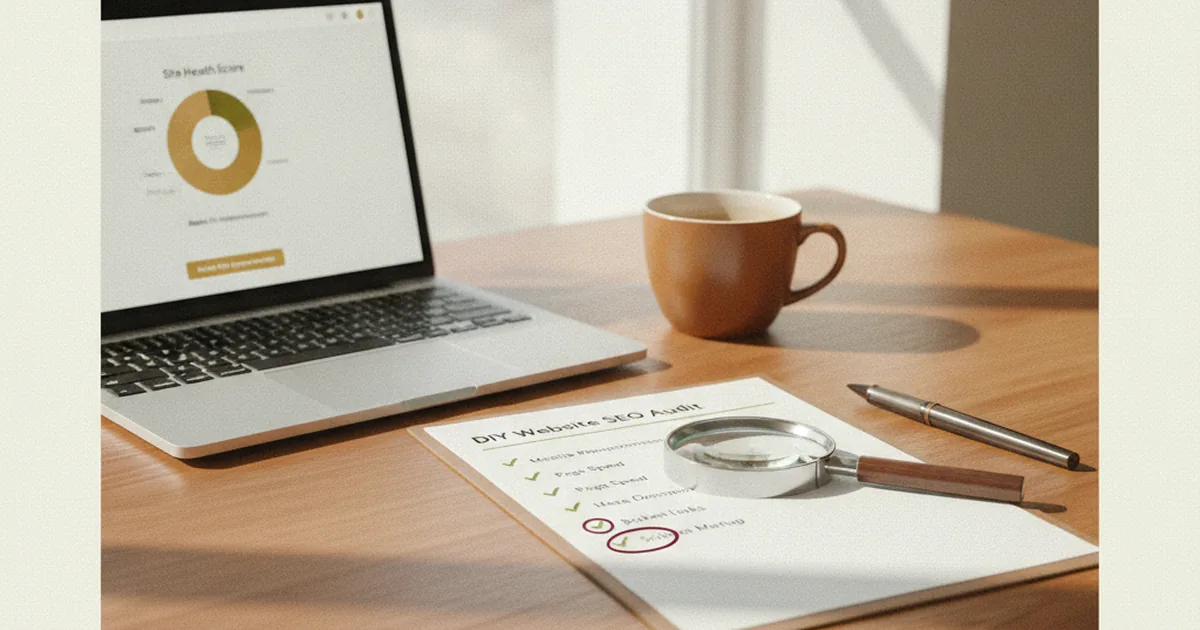
You don't need to hire anyone to get a sense of how your website's SEO is doing. A first pass — the kind that catches the big problems — you can do yourself in an afternoon with free tools. It won't be as thorough as a professional audit, but it will tell you whether your site is reasonably healthy or whether it has leaks that are costing you customers.
Here are six checks, in order, that cover what matters most. Pass all six and you're in decent shape. Fail several and you know there's work to do.
Before you start: what you need
Nothing paid. Just:
- Your website open in a browser.
- Your phone.
- A Google account (for Search Console and PageSpeed).
That's enough for a first audit. Let's go.
1. Can Google find you at all?
Everything else is pointless if Google doesn't have your site in its index. Check it like this: in Google, search site:yourdomain.com (your real domain, no spaces). The results will show which of your pages Google has indexed.
- If your main pages show up: good, Google can see you.
- If almost nothing shows up, or an important page is missing: that's a serious problem. A page that isn't in the index doesn't exist as far as Google is concerned.
For the full picture, the right move is to have Google Search Console set up — it tells you exactly which pages are indexed and which aren't. I cover that in the post on Search Console.
2. What does someone see when they search for you?
Search for your business on Google and look at the result: the blue title and the grey description below it. That's the first thing a potential customer sees.
- Does the title clearly describe what you do and where? "Home" or "Welcome" as a title is a wasted opportunity.
- Does the description make someone want to click, or is it empty or cut off mid-sentence?
- Do the same for your main service pages.
If the titles are generic or identical across pages, that's an easy fix with real impact.
3. How does it perform on speed and mobile?
Open PageSpeed Insights, paste your URL, and focus on the mobile tab. It gives you a score and a list of what's slowing things down.
Then run the real test: open your site on your phone using mobile data (not Wi-Fi). If you find yourself waiting impatiently, your customer has already left. Speed affects whether people stick around and how Google ranks you — I go into this in the post on page load speed.
4. Is your Google listing in good shape?
If you have a local business, this carries a lot of weight. Search for your business on Google and look at your listing (the panel with your phone number, hours, photos, and reviews):
- Is it claimed and are the details correct?
- Are your hours up to date?
- Do you have recent reviews, and are you responding to them?
- Are there real, current photos?
A neglected listing is one of the biggest quiet drains on customers you'll find. How to get it right is covered in the post on Google My Business.
5. Do you answer what people actually search for?
Look at your pages critically: do they address what your customers are actually looking for, in their own words? A common mistake is having a single generic "services" page instead of pages that respond to specific searches.
Try Google autocomplete: type your service and see what people complete it with. If those specific searches don't have a clear home on your site, you're leaving them on the table. This is the logic behind long-tail keywords: smaller businesses win by going specific.
6. Who links to you (and who shouldn't)?
Links from other websites to yours influence how Google sees you. You don't need paid tools for a first read: search for mentions of your business on Google and see whether reputable local or industry sites are linking to you.
The key warning sign at this stage: if someone once sold you cheap links, you may have low-quality backlinks pointing at you, and those can hurt. I explain this in the post on backlinks.
What to do with the results
If you've gone through all six checks without any red flags, your site is in reasonable shape for a small business: focus your energy on content and your listing. If you've failed on two or more, don't panic — it means there's clear room to improve, and the first fixes almost always move the needle the most.
This self-audit catches the obvious. What it doesn't catch are buried technical issues, page cannibalization, indexing edge cases, or the exact cause of a traffic drop. That's what a professional SEO audit is for: when you've done the basics and something still doesn't add up, or when you want someone to tell you specifically what to fix first and what to expect from it. But to get started, the six checks above will tell you more than you might think.
Frequently asked questions
Can I audit my SEO without paid tools?
Yes, for a first pass. With Google (the site: search, autocomplete), Google Search Console, and PageSpeed Insights — all free — you cover the essentials: indexation, titles, speed, local listing, and content. Paid tools give you more detail, but they're not necessary to catch the big problems.
How long does a basic self-audit take?
An afternoon is enough for the six checks in this article if your site isn't enormous. It's not an exhaustive analysis, but it gives you a reliable picture of whether your site is healthy or has obvious leaks.
When is a professional audit worth it?
When you've done the basics and something still isn't working, when you've seen a drop you can't explain, or when you want a clear roadmap of what to fix first and what the expected impact is. The self-audit catches what's visible; the professional audit reaches what's buried.
Do I need technical knowledge to do this?
Not for these six checks. They're designed for a business owner, not a developer. Searching for your site, looking at your listing, and pasting your URL into a free tool requires no special knowledge. The genuinely technical stuff is exactly what's worth delegating.
If you go through this review and find your site has several leaks — or you'd rather skip the step-by-step and have someone lay it out for you — that's what an SEO audit is: I tell you what's wrong, what to fix first, and what to expect, with no obligation to go further.